Kişisel · 2026 · Web
Open Source Library react-window-modals
A flexible, customizable, and lightweight React library for creating draggable, resizable, and context-managed window modals. Perfect for building desktop-like experiences on the web.
- Rol
- Developer
- Durum
- Tamamlandı
- Teknolojiler
- React · TypeScript · Tailwind CSS · Vite · tsup
Bu sayfa yalnızca İngilizce.
Overview
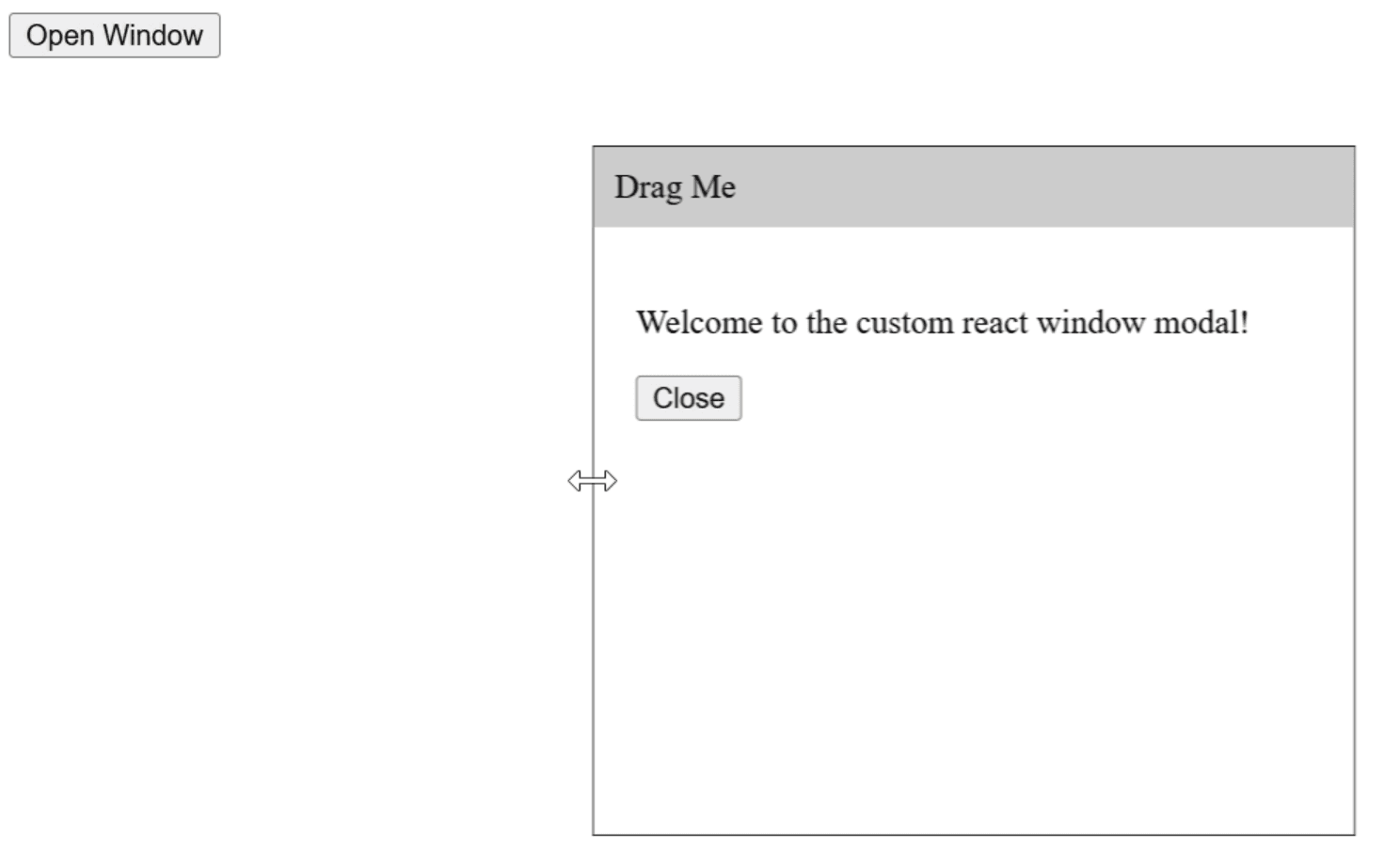
react-window-modals is a lightweight, headless React library for creating draggable, resizable, and context-managed window modals. I built this library from scratch with a focus on flexibility, performance, and developer experience, allowing users to implement desktop-like modals in web applications without enforcing a specific UI framework.
The library decouples modal logic (dragging, resizing, boundary constraints) from UI presentation, letting developers style modals using Tailwind, Material-UI, or custom CSS.
Key Features
- Draggable Windows: Easy-to-use drag logic with configurable boundaries.
- Resizable Windows: Supports dynamic width and height adjustments, respecting constraints.
- Context-Managed State: Exposes hooks like
useWindowContext,useDraggableWindow, anduseResizableWindowfor seamless integration. - Customizable Appearance: Fully headless design allows complete control over UI.
- TypeScript Support: Strongly-typed API ensures safe and predictable development.
Technologies Used
- React 18
- TypeScript
- Tailwind CSS (optional styling)
- Vite for dev environment
- Tsup for bundling
Challenges and Learnings
Implementing smooth drag-and-resize behavior while maintaining high performance was a core challenge. I optimized the library to handle boundary constraints, responsive screen resizing, and high-FPS mouse movements. Writing a fully headless, context-driven system pushed my understanding of React Hooks, state management, and DOM optimization.
Outcome
The library enables developers to easily add desktop-like floating windows to their React apps, with full control over UI styling and behavior. It’s now published on NPM and ready for open-source contributions.
Usage Example
import { useRef } from "react";
import {
  WindowProvider,
  WindowWrapper,
  type WindowRefType,
  useDraggableWindow,
  useResizableWindow,
} from "react-window-modals";

function WindowResizer() {
  const { onResizeStart } = useResizableWindow("left");

  return (
    <span
      onMouseDown={onResizeStart}
      onTouchStart={onResizeStart}
      style={{
        cursor: "w-resize",
        width: 1,
        position: "absolute",
        top: 0,
        left: 0,
        bottom: 0,
      }}
    />
  );
}

function WindowHeader() {
  const { onMouseDown, onTouchStart } = useDraggableWindow();

  return (
    <div
      onMouseDown={onMouseDown}
      onTouchStart={onTouchStart}
      style={{ cursor: "move", background: "#ccc", padding: "10px" }}
    >
      Drag Me
    </div>
  );
}

export default function App() {
  const windowRef = useRef<WindowRefType>(null);

  return (
    <div>
      <button onClick={() => windowRef.current?.open()}>Open Window</button>

      <WindowProvider
        ref={windowRef}
        initialOpen={false}
        initialPosition={{ x: "center", y: "center" }} // Support for pixels, CSS percentages ("50%"), or "center"
        initialSize={{ width: 400, height: "40%" }}
        constrain={{ minX: 0, minY: 0, maxX: "100%", maxY: "100%" }}
      >
        <WindowWrapper
          style={{
            position: "relative",
            backgroundColor: "white",
            border: "1px solid black",
          }}
        >
          <WindowHeader />
          <WindowResizer />
          <div style={{ padding: "20px" }}>
            <p>Welcome to the custom react window modal!</p>
            <button onClick={() => windowRef.current?.close()}>Close</button>
          </div>
        </WindowWrapper>
      </WindowProvider>
    </div>
  );
}